How to end screen time with less negotiating.
Choose the finish line, give your child a cue they can see, and explain what happens next. Keep that ending in place when the requests for more time arrive.
“Can I have ten more minutes?”
You look at the clock.
You have five.
Closing Time makes the end of TV time visible. Parent Minutes puts the countdown's pace in your hands.
Including the option to say yes to ten displayed minutes that take five actual minutes.
Meet the grownup advantageBefore screen time ends
Decide how screen time will end.
Choose an ending you can follow through on: the end of an episode, a particular time, or a countdown you set. Tell your child what that ending is and what comes afterward.
“When this episode finishes, TV time is done. Then we're having dinner.”
Or, if you're using a countdown:
“When this countdown ends, the tablet goes on the counter. Then we'll pick a book.”
Common Sense Media's guidance on ending screen time recommends explaining the limit and the next activity beforehand. It also suggests disabling autoplay so another episode doesn't begin as you're trying to finish.
Choose one finish line for that session. If you've said the episode is the ending, keep the episode as the ending. If you've chosen a countdown, use that cue consistently.
Closing Time
Every establishment has hours.
Even your living room.
Closing Time in Another Grownup turns the end of an activity into something your child can see. The grownup chooses what's closing and sets the boundary. A countdown leads to a sign that flips to CLOSED.
“TV time is closing. When the sign says closed, we turn it off.”
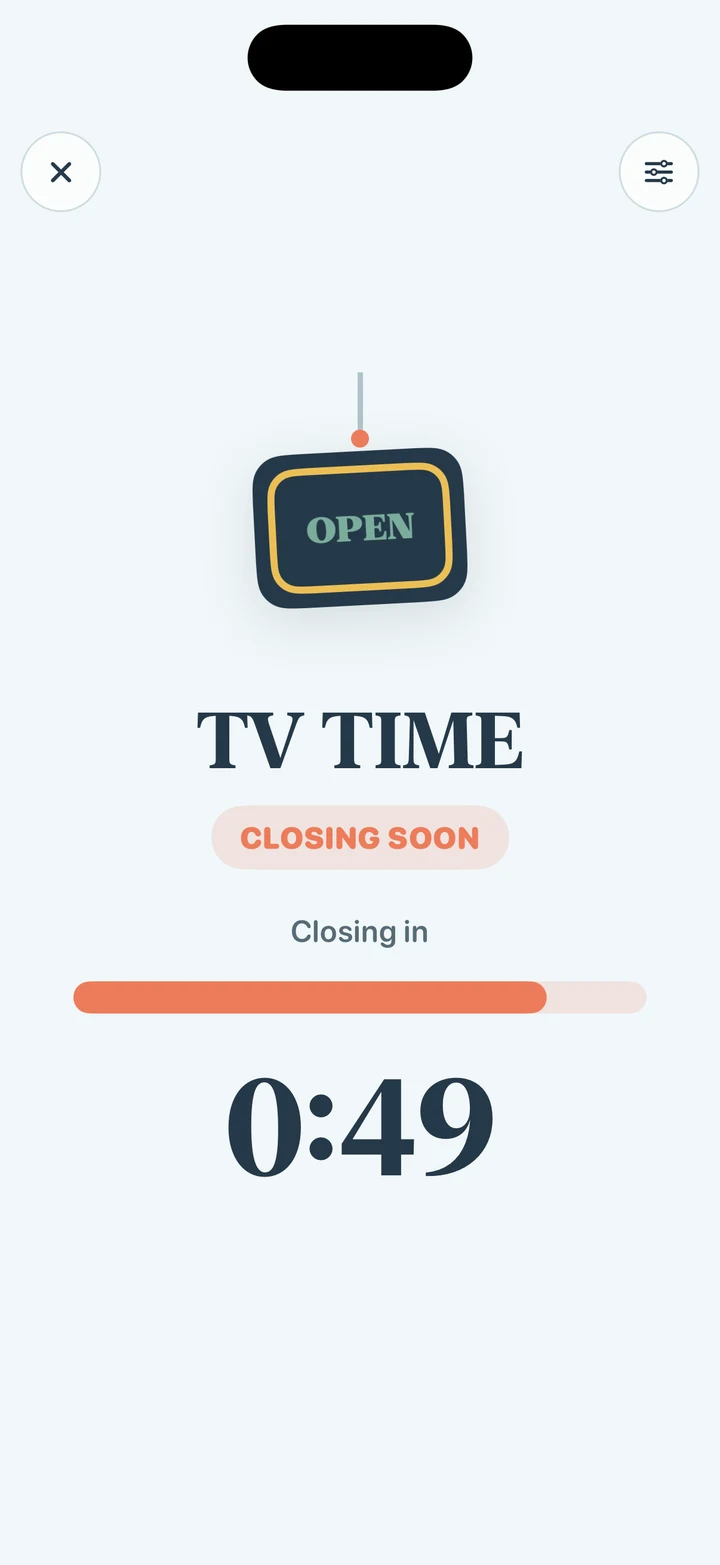
They see it coming.
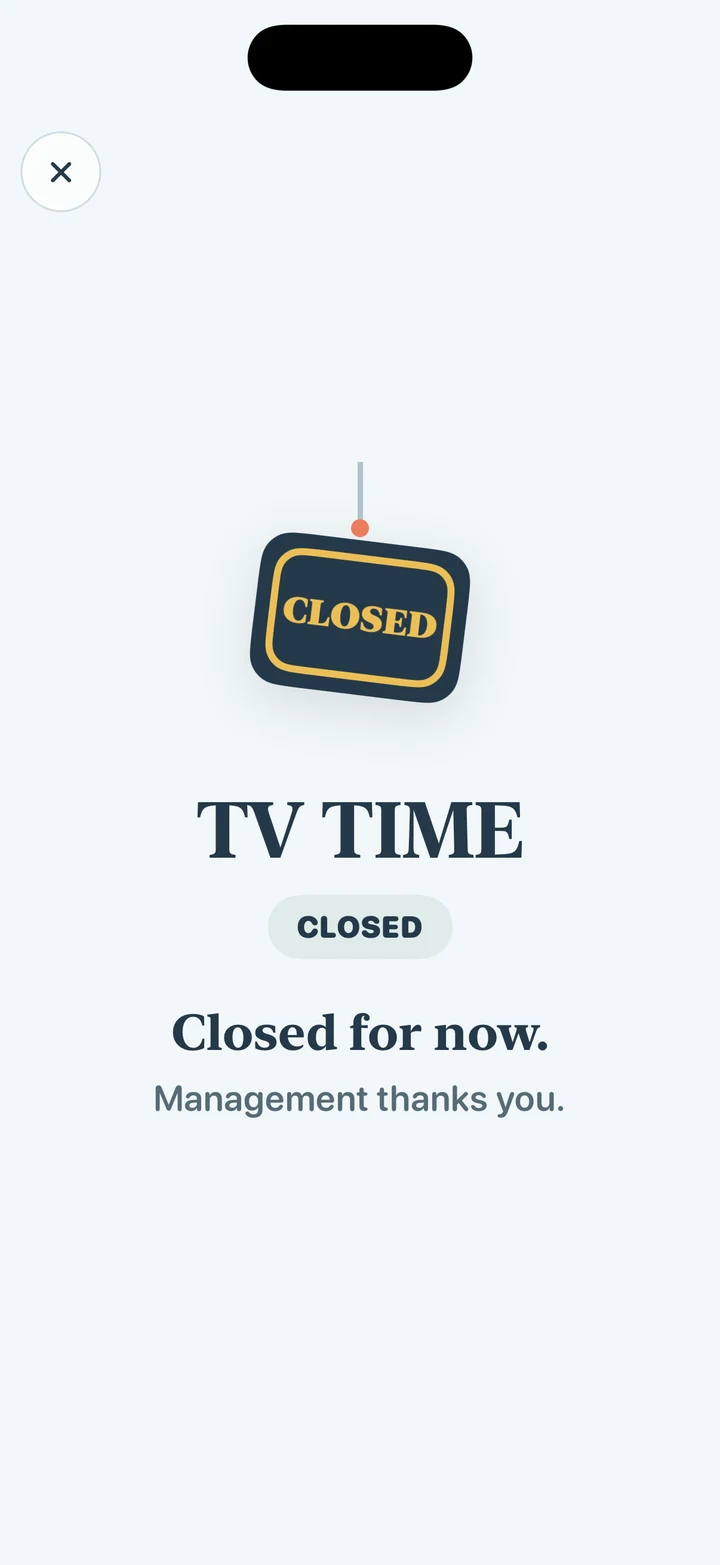
They see it close.
Now there's a shared cue to point to when your child asks how much longer they have. You still set the boundary and turn off the TV. The app gives that decision a visible endpoint.
“TV time is closed. Let's go have dinner.”
Management thanks you.
Parent Minutes + Reality Speed
“Sure, ten more minutes.”
You have five.
Sometimes you're willing to allow a final countdown, but you need the transition to happen sooner. That's where Parent Minutes and Reality Speed come in.
Set a ten-minute countdown and choose 2× Reality Speed. The countdown runs twice as fast, so ten displayed minutes take five actual minutes.
- Displayed countdown
- 10 min
- Reality Speed
- 2×
- Actual time
- 5 min
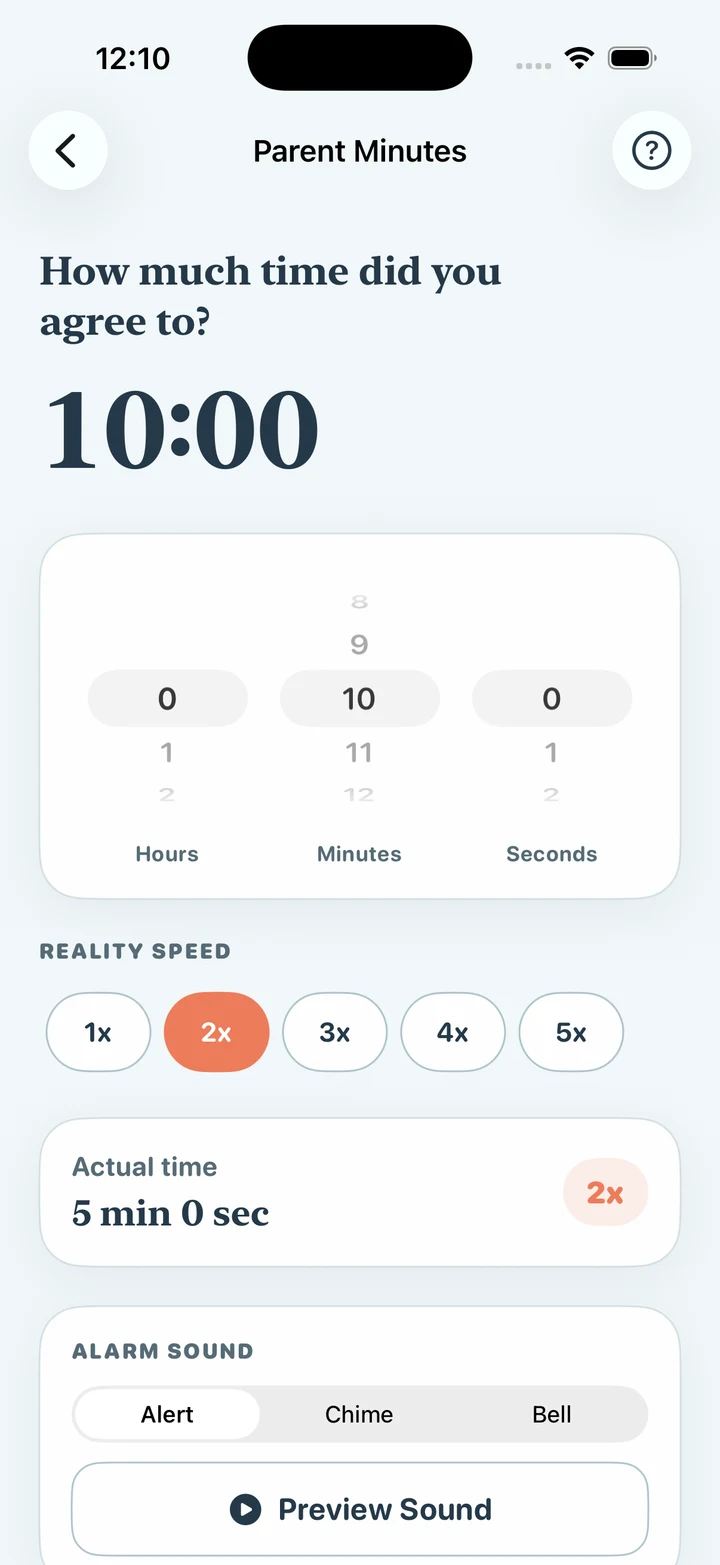
You control the pace.The real Parent Minutes controls: ten minutes selected, 2× speed, five minutes in real life.
Your child“Can I have ten more minutes?”
You“Sure. When this countdown finishes, screen time is done.”
You set ten minutes at 2×. Your child sees the countdown. Five actual minutes later, the app reaches its completion cue.
Reality Speed intentionally gives the grownup an advantage. The displayed minutes move faster than clock minutes, and you choose that pace. It's a way to reach the boundary sooner while giving your child a clear countdown to follow.
When time's up
Keep the ending in place.
When the countdown finishes or TV time closes, use a short line that matches what you already said.
- “One more episode?”
- “TV time is finished for now. Let's go have dinner.”
- “Can you start the timer again?”
- “That was our last countdown. It's time to put the tablet down.”
- “But I want to keep watching.”
- “I know you want more. Screen time is finished for now.”
If you want to offer a choice, make it about the next step:
“Do you want to turn it off, or shall I?”
A clear cue won't make every ending easy. Your child may still be disappointed or need help moving on. You can acknowledge that feeling while keeping the boundary you chose.
For the next “one more”
Keep this script handy.
- Before
- “When this countdown ends, screen time is done. Then we're having dinner.”
- During
- “You can see how much is left right here.”
- At the end
- “Time's up. Let's turn it off.”
- If they ask again
- “That was our last countdown. We're finished for now.”
Written by Another Grownup, the team behind Parent Minutes and Closing Time. The examples above are suggested scripts. The linked Common Sense Media guidance supports the general routine; Reality Speed is an Another Grownup feature.